cTrader combines chart analysis, order entry and automated trading in one platform. Its practical appeal is the ability to move from a chart setup to a trade, then develop rules for handling similar setups through cTrader Algo. That does not make every trading idea worth automating. It does make the connection between analysis and execution worth examining.
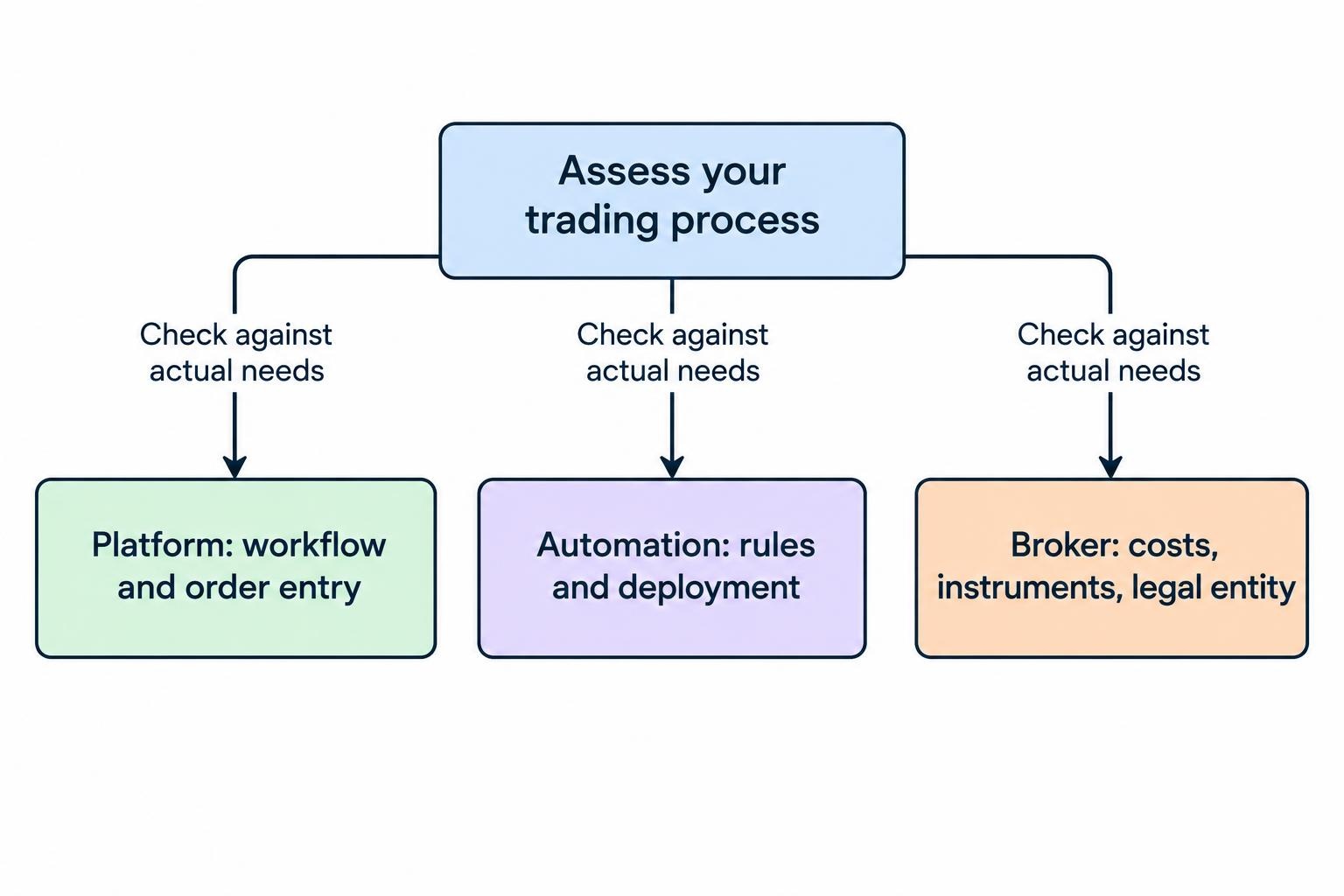
The right way to assess cTrader is to separate three questions: does its interface suit your trading process, can its automation tools express your rules, and does the connected broker offer acceptable trading conditions? A platform can answer the first two without answering the third.
This guide covers cTrader’s charts, order types, cBots and deployment choices, with attention to the checks that matter before moving from a demonstration account to live trading.
What cTrader Does—and What the Broker Controls
Treat cTrader as the software layer through which you analyse markets and send instructions. Do not treat the platform name as a substitute for assessing the account provider. When comparing trading platforms, features and costs, evaluate the interface separately from the commercial terms attached to it.
Before opening an account, check the provider’s instrument list, contract specifications, commissions, financing charges and eligibility requirements for your location. Verify the legal entity named in the account agreement rather than relying on a logo or an app listing.
Make the comparison concrete. If you trade short sessions, order entry and transaction costs deserve close attention. If you hold positions overnight, examine financing and rollover arrangements. If you automate, assess the development process, hosting requirements and recovery procedures. A feature matters only if it supports something you actually do.
cTrader Charts and Technical Analysis Tools
cTrader provides candlestick, bar and line charts alongside other display choices. Its charting tools include standard time periods, tick, Renko and range options, technical indicators, drawing tools, chart templates and customisable workspaces. A built-in risk and reward tool supports trade-volume calculations; the available capabilities are outlined in Spotware’s cTrader charting specifications.
The useful question is not how many indicators fit on a screen. It is whether the workspace makes your decision process easier to repeat. A practical layout might use a higher timeframe for direction, a working timeframe for the setup and a smaller timeframe for entry. Each chart should have a job.
Choose Chart Types That Match Your Rules
Time charts organise prices into fixed intervals. Tick charts organise them around a chosen number of price updates, while range and Renko approaches emphasise price movement rather than equal blocks of time. Those differences can change how a setup appears.
A rule based on a completed five-minute candle is not automatically equivalent to a rule based on a completed Renko brick. Write down which price series generates the signal and whether the decision uses a finished bar or one still forming. Otherwise, a chart change can become an accidental strategy change.
Use indicators to answer separate questions. A trend measure, a volatility measure and a clearly marked invalidation level may provide more useful structure than several indicators repeating similar calculations. More lines do not settle an argument with price.
Order Types and Trade Management
cTrader supports market, limit, stop and stop-limit orders, plus stop-loss and take-profit protections. It distinguishes an order’s activation from its execution, a distinction that matters particularly for stop-limit orders. The mechanics are set out in the cTrader order types and protection documentation.
| Order type | Typical intention | Trade-off |
|---|---|---|
| Market | Enter or exit at the available market price | The fill can differ from the price seen before submission |
| Limit | Trade only at the stated price or better | The order may remain unfilled |
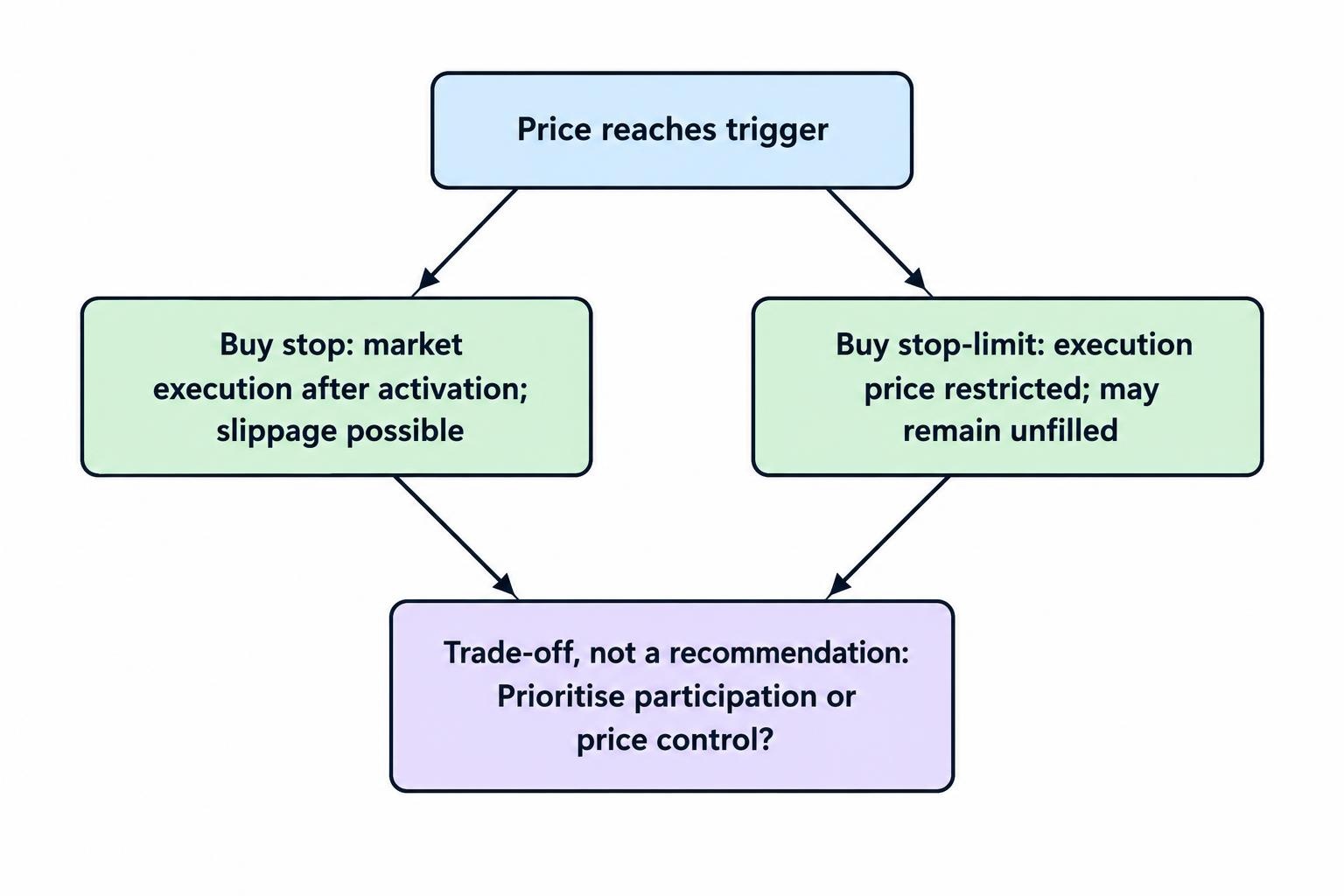
| Stop | Enter after a price threshold is reached | Activation leads to market execution, with slippage possible |
| Stop-limit | Activate an order while restricting the acceptable execution price | A fast move can leave the order unfilled |
Consider a hypothetical breakout strategy. A buy stop prioritises entering after the trigger, accepting uncertainty about the fill. A buy stop-limit adds a price restriction, accepting the possibility of missing the trade. Neither is automatically superior. The choice depends on whether your rules place greater weight on participation or price control.
Set Risk Before Making Order Entry Faster
Decide the invalidation level before choosing position size. Starting with a preferred size and moving the stop until the potential loss looks comfortable reverses the process. The market has no obligation to respect the distance that suits your account.
As a planning example, a $10,000 account with a hypothetical 0.5% risk budget allows $50 of intended price risk. Position size would then depend on the stop distance and the instrument’s value per price increment. Costs, currency conversion and slippage can change the realised outcome; $50 is not a guaranteed maximum loss.
Build a short pre-submission routine around account, symbol, direction, volume and protection levels. For automated workflows, the same discipline belongs in pre-trade order limits and exposure checks, rather than depending on somebody noticing a bad instruction.
cTrader Algo: cBots, Indicators and Programming
A useful distinction is between analysing a setup and authorising a trade. An analytical tool can help identify conditions; an automated strategy must also decide what to do about them. That second task requires rules for order size, execution failures, existing positions and exits—not just an entry signal.
cTrader Algo supports strategy development in C# and Python, together with historical backtesting and parameter optimisation. Its automated trading programs are called cBots. These development and testing capabilities are described in Spotware’s cTrader Algo feature overview.
Choose the programming language you can maintain and review. Familiar syntax helps, but trading software also needs careful handling of order responses, position state and unexpected inputs. A program that compiles has passed a syntax check, not a trading assessment.
Turn a Trading Idea Into Testable Instructions
“Buy when momentum improves” leaves too much room for interpretation. A testable version needs a measurable condition, a decision time and an action. It also needs boundaries: permitted trading hours, maximum exposure, exit logic and the circumstances under which no trade should occur.
Take a hypothetical moving-average strategy. Specify whether a crossover is checked during the bar or after it closes. Decide whether a second signal can add to an existing position. Define what happens if an order fails or the application restarts. These details are part of the strategy, not administrative tidying.
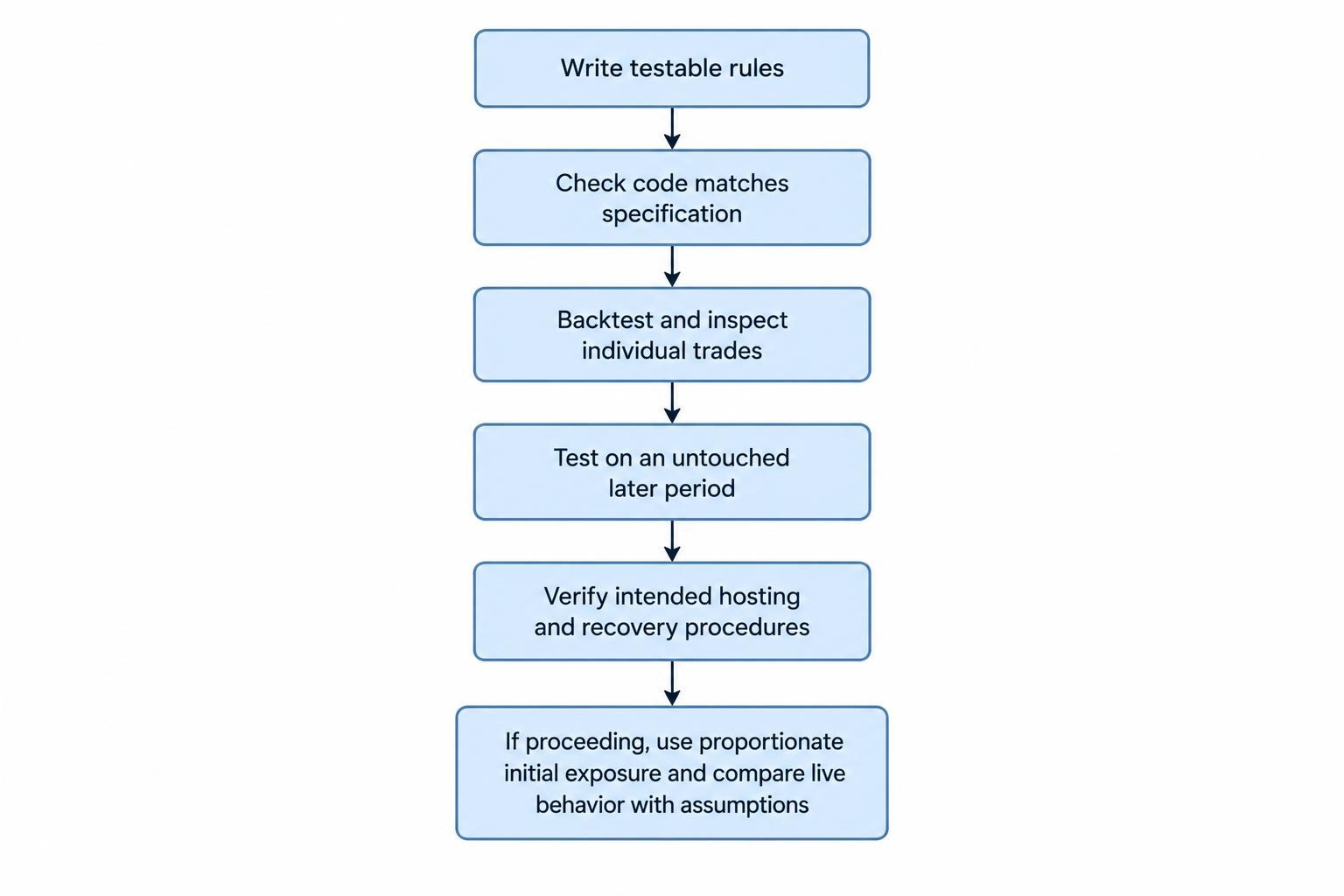
Begin with one symbol and a small set of rules. Keep a written specification beside the implementation. If the code and the specification disagree, resolve the disagreement before interpreting the performance report.
Backtesting and Optimisation Without Fooling Yourself
Use a backtest to investigate behaviour, not to obtain permission to trade. Start by checking whether the program follows its instructions. Examine individual trades before judging the equity curve: did entries occur at the intended time, were exits applied correctly, and did the strategy avoid duplicate orders?
Then assess performance using cost assumptions appropriate to the intended account. Review drawdown, trade frequency, average trade outcome and the contribution of unusually large winners. A positive total deserves further examination if most of it comes from one brief period.
The broader process is covered in backtesting an automated trading strategy. For a cTrader evaluation, keep the first objective narrow: establish that the bot behaves as designed before searching for better parameters.
Avoid Optimising Every Decision
Set aside a later period that you do not use for parameter selection. After choosing settings, test them against that untouched period without adjusting them to repair disappointing results. Repeated repairs turn the supposed check into another training exercise.
Prefer settings whose behaviour remains reasonably stable across nearby values. If a moving-average length of 20 appears attractive but 19 and 21 produce sharply different results, investigate the dependence rather than celebrating the best number.
Save the strategy version, parameters, date range and assumptions with each result. This makes comparisons useful and prevents a familiar problem: a strong report whose exact configuration nobody can reproduce.
Running cBots Locally or in the Cloud
cTrader supports local cBot execution on Windows and Mac, and cloud execution accessible through its Windows, Mac, Web and Mobile apps. Local execution requires the desktop application to remain open. A cloud instance can operate without your device staying connected, although account limits and external-package compatibility require checking. The distinction is documented in cTrader’s cloud execution rules and compatibility guidance.
Choose hosting based on the strategy’s dependencies, not simply the convenience of closing a laptop. Before deployment, check whether the bot needs local files, outside data or packages that behave differently in the intended environment. Test the actual deployment arrangement rather than assuming that a successful local run proves cloud compatibility.
For device selection, test your full routine on the application you intend to use. Being able to monitor an account from a phone is not the same as having a comfortable environment for development, investigation and incident handling.
Stopping a Bot Is Not the Same as Closing Exposure
Define an emergency procedure that treats automation, pending orders and open positions separately. Do not assume stopping a program will cancel every order or flatten the account. Verify the resulting account state.
Before live use, test how you would prevent new entries, inspect outstanding instructions and handle positions already open. Record who can intervene if the normal operator is unavailable. These operational questions belong alongside trading bot monitoring and failure detection, not in a folder opened only after an incident.
Costs, Account Conditions and a Useful Demo Test
Build a cost sheet for the proposed account rather than labelling the platform cheap or expensive. Check spreads, commissions, overnight financing and any currency-conversion charges. Add optional software, development, hosting or data expenses where your process requires them.
Use identical assumptions when comparing accounts. A short-duration strategy and a position held for several nights have different cost patterns. Compare the cost of your expected trading activity, not an isolated headline spread.
A useful demonstration test should cover more than opening and closing one trade:
- Place, modify and cancel each order type your strategy needs.
- Check position sizing, protection levels and account-currency calculations.
- Run the intended cBot configuration and inspect its trading decisions.
- Practise a restart and reconcile orders and positions afterwards.
- Rehearse stopping automation and managing any remaining exposure.
A demo exercise can reveal workflow and logic problems, but it does not establish what future live execution will deliver. If proceeding to live use, keep the initial exposure proportionate to the uncertainty and compare actual behaviour against the test assumptions.
Is cTrader a Suitable Platform for Your Process?
cTrader deserves consideration if you want chart-based trading and a route to coded automation in the same platform family. Its value depends less on the length of its feature list than on whether you can carry out your routine accurately, inspect what happened and recover when something goes wrong.
Define your requirements before comparing interfaces. Test the order workflow, verify the proposed account’s costs and restrictions, and assess automation separately from the trading idea behind it. A polished interface can make a good process easier to follow. It cannot turn an untested strategy into a reliable one.